
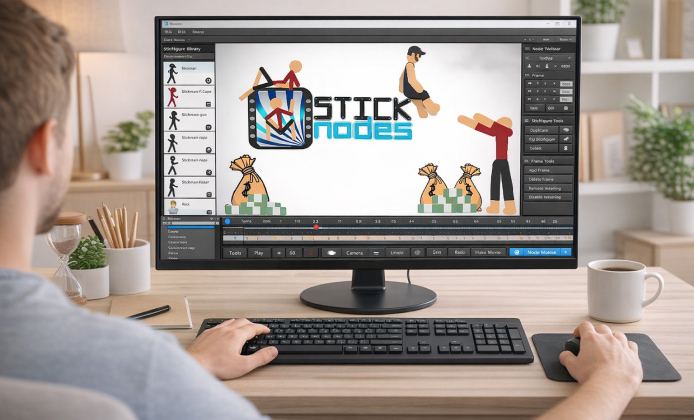
Stick-figure animation looks simple at first glance, yet it can teach real fundamentals of motion, rhythm, and visual storytelling. Stick Nodes is popular because it lowers the barrier to entry: you can sketch, pose, and animate characters with tools that feel approachable even if you have never made an animation before. This guide explains practical ways to enjoy the app at no cost, build skills, and share your work responsibly.
Why Stick Figure Animation Is So Addictive
Animation is basically problem-solving with personality: you decide how a character jumps, reacts, fights, or dances, then you refine it frame by frame until it feels alive. For newcomers, Stick Nodes free-to-play offers a low-pressure environment to practice arcs, spacing, and timing without needing expensive software.
- Learn the basics of keyframes, in-betweens, and easing.
- Create short clips quickly and iterate fast.
- Experiment with effects, camera moves, and simple choreography.
- Share your animations with friends or communities for feedback.
Free Ways to Get Started Without Overthinking It
If you’re just exploring, the easiest approach is to set a small goal, like a 2–3 second loop: a blink, a wave, or a hop. Many users search for Stick Nodes play for free options because they want to test the workflow before committing time to a bigger project.
Beginner Mini-Projects (That Actually Teach You Something)
-
Bouncing ball with a shadow (timing and squash/stretch).
-
Simple walk cycle (weight shift and contact points).
-
Reaction shot (anticipation and follow-through).
-
Short punch-kick combo (posing and readability).
Core Features to Focus On First
It’s tempting to chase flashy effects, but strong posing beats complicated visuals every time. When you treat each frame as a clear silhouette, your animation reads better on any screen size. If you want a quick routine, start a new file, add one stick figure, and let Stick Nodes play like a sketchbook where you refine motion through repetition.
Helpful Habits
- Use onion-skinning to see previous/next frames and keep motion consistent.
- Lock the camera while learning, then add camera moves later.
- Save versions frequently so experiments never feel risky.
- Keep clips short until you can finish what you start.
No-Download and Browser Expectations
Some people prefer instant access on shared devices, and Stick Nodes free-to-play no download is a common request for that reason, but the experience typically depends on whether you’re using the official app on a supported platform or a third-party environment with limitations.
To avoid frustration, compare options and pick what matches your situation: stable device access, permission to install apps, and the need to export files for editing or sharing later.
Playing Online, Sharing, and Staying Safe
Community is part of the fun: you can exchange rigs, test collaborations, and learn by studying others’ frame choices. If you enjoy browsing creations, Stick Nodes for free online play can refer to watching, sharing, or interacting with content through online communities rather than installing new tools everywhere.
- Download only from our fan website.
- Avoid uploading personal info in usernames, project notes, or file names.
- Ask permission before using someone else’s character rig in a public project.
Workflow: A Simple “Animate, Review, Improve” Loop
The fastest way to improve is to build a tiny clip, export it, watch it at normal speed, then fix one issue at a time. When you Stick Nodes play online with friends or communities, feedback becomes easier if you ask one clear question, such as “Does the landing feel heavy enough?”
Quick Troubleshooting Checklist
- If motion feels floaty, increase hang-time only at the top of jumps.
- If hits feel weak, exaggerate anticipation and add a sharper impact frame.
- If it looks jittery, reduce unnecessary frame-to-frame position changes.
- If it’s hard to read, simplify poses and improve silhouettes.
Feature Comparison at a Glance
| Goal | Best Approach | Tip |
|---|---|---|
| Learn animation basics | Short loops (1–3 seconds) | Master timing before adding effects |
| Make action scenes | Pose-to-pose planning | Use clear silhouettes for readability |
| Share with others | Export tests often | Ask for feedback on one specific moment |
| Collaborate | Agree on style and FPS | Keep naming consistent across files |
Making It Feel Like a “Game” Instead of Homework
Some creators stay motivated by treating each project like a challenge run: limited frames, limited moves, or a single prop used creatively. If you want a playful mindset, Stick Nodes game free-to-play can be approached as a creative sandbox where each “level” is a new animation prompt you set for yourself.
Fun Challenge Ideas
- Create a 12-frame action beat that still reads clearly.
- Animate a dodge without moving the character’s feet.
- Make a loop that can repeat seamlessly for 10 seconds.
- Tell a tiny story using only two poses and smart timing.
Using a Computer for Comfort and Precision
Long sessions can be easier with a bigger screen and better posture, and many users look to play Stick Nodes on computer when they want more space for detailed work or smoother file management.
If you’re working across devices, keep your projects organized with clear folder names, version numbers, and short notes about what changed in each update. That habit saves time when you return to a project after a break.
FAQ
- Is it possible to learn animation fundamentals with stick figures?
Yes, because stick figures strip away distractions and highlight timing, spacing, and posing. - What’s the fastest way to improve?
Finish short clips, review them, and fix one issue per iteration instead of restarting everything. - How do I make movement feel more natural?
Focus on arcs, add anticipation before major actions, and use follow-through after impacts or stops. - What should I share first?
Share a clean loop or a short action beat, then ask for feedback on timing or readability.
With a few simple habits and small, finishable projects, you can build confidence fast and enjoy the process of bringing stick figures to life.
 How to Use Stick Nodes APK on PC for Comfortable Animation
 Stick Figure Animation for Everyone: How to Play on PC
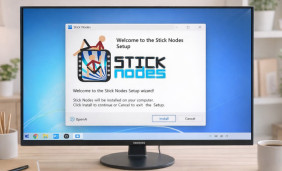 Stick Nodes Install Guide: Safe Setup, First Launch, and Troubleshooting
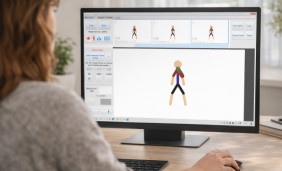 How to Animate Stick Nodes Comfortably on a PC
 What Is Stick Nodes and How to Use?
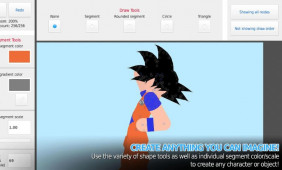 Best Apps Similar to Stick Nodes
